 4-track Glockenspiel
Get it
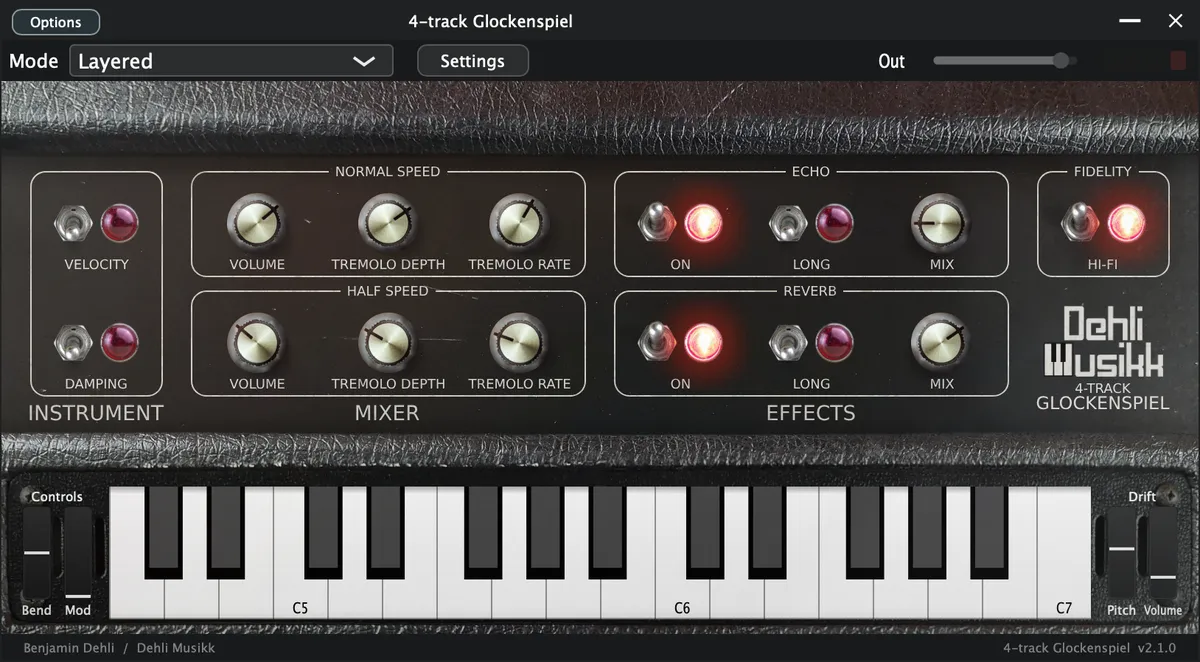
At a glance
- Formats
- VST3, AU, Standalone and Decent Sampler
- Systems
- macOS, Windows and Linux
- Version
- 2.2.0 (2026-11-25)
- Price
- Pay what you want, from $9.99
- Sample rate
- 48 kHz
- Bit depth
- 24 bit
- Samples
- 60 files
- Sample content
- 93.6 MB
Video
A demonstration of the 4-track Glockenspiel library for Decent Sampler.
Included formats
- VST3 (macOS, Windows and Linux)
- AU (macOS)
- Standalone application (macOS, Windows and Linux)
- Decent Sampler (macOS, Windows and Linux)
The Windows and Linux versions of the plugin are new and have not yet been tested on those systems.
The plugin version
The plugin is a self-contained instrument, available as VST3, AU and Standalone. The graphics are embedded in the plugin, and the samples and impulse responses come in one losslessly compressed file that the installer puts in place, so there is nothing to locate by hand. Only the samples for the selected preset are loaded into memory, and a fresh instance lets you choose which preset to load before anything is decoded.
The plugin has all the controls and features from the Decent Sampler version, including MIDI learn, the master volume fader with output meter, value readouts for the knobs and full DAW automation. On top of that, the plugin version adds:
- Drift wheels next to the pitch and modulation wheels, adding a subtle random pitch and volume drift to each voice.
- A velocity curve setting in the settings menu.
- A resizable window, from its own size to twice that.
- Undo and Redo.
The Decent Sampler version
This version of 4-track Glockenspiel is an instrument preset / sample library for Decent Sampler. If you're new to Decent Sampler, I recommend checking out this guide first.
Technical specification
| Sample rate | Bit depth | Channels | Number of files | File size | |
|---|---|---|---|---|---|
| Samples | 48 kHz | 24 bit | 2 (stereo) | 60 | 93.60 MB |
| Impulse responses | 48 kHz | 24 bit | 2 (stereo) | 4 | 3.60 MB |
Instrument presets
- Layered
- Normal speed samples and half speed samples are assigned to the same part of the keyboard.
- Layered (Pitch Stretched)
- Like Layered, but the samples are also stretched further down the keyboard for slower and deeper sounds.
- Split
- Normal speed samples and half speed samples are assigned to different parts of the keyboard.
User Interface
Instrument
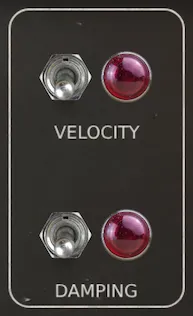
Velocity and damping
- Velocity
- Determines whether the velocity should affect the volume of the samples
- Damping
- When damping is off, the sample will continue to play after you release the key (like a glockenspiel)
- When damping is on, the sample will fade out quickly after you release the key
Mixer
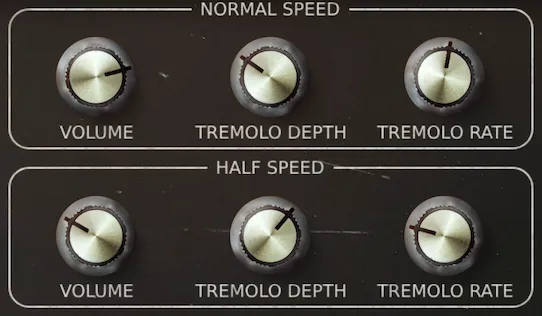
Volume
Mix between the normal speed samples and the half speed samples. They also have independent tremolo controls.
Tremolo
The tremolo rate and tremolo depth knobs enable you to modulate the amplitude of the sound with the desired depth and rate using a Low-Frequency Oscillator (LFO).
- Tremolo Rate
- Tremolo rate determines the speed at which the modulation occurs
- Tremolo Depth
- Adjust the Tremolo depth to introduce subtle or pronounced variations in volume
Effects
These effects are achieved using carefully crafted impulse responses. The echo effect employs a Fulltone Tube Tape Echo recorded twice for stereo, while the reverb effect draws from a Chase Bliss Audio & Meris CXM 1978 reverb pedal with a room setting.
Echo
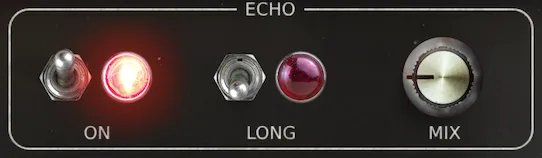
- On
- Turns the echo on and off
- Long
- Switches between a short slapback echo and a long echo with slow repeats and high feedback
- Mix
- Mix between direct signal and echo signal
Reverb
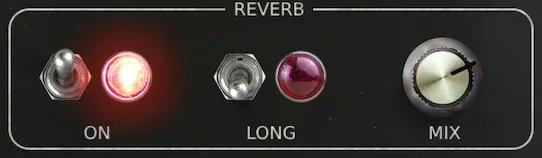
- On
- Turns the reverb on and off
- Long
- Switches between a short/small room reverb and a long/big room reverb
- Mix
- Mix between direct signal and reverb signal
Fidelity
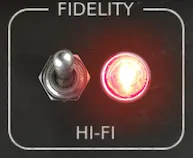
Hi-fi
When the hi-fi switch is turned on, no effects are applied. When it's turned off, some filtering, saturation and modulation are added for a lo-fi effect. The saturation becomes more pronounced when you turn up the volume in the mixer section.
- Hi-fi
- Turns the lo-fi effects on and off
Frequently asked questions
What is 4-track Glockenspiel?
4-track Glockenspiel: a glockenspiel on cassette tape at normal and half speed, so every note also plays an octave down. For VST3, AU and Decent Sampler.
Which formats does 4-track Glockenspiel come in?
4-track Glockenspiel is available as VST3, AU and Standalone for macOS, Windows and Linux, and as a Decent Sampler library for macOS, Windows and Linux.
Does 4-track Glockenspiel work in Logic Pro and Ableton Live?
Yes. 4-track Glockenspiel is available as both VST3 and AU, so it loads in any macOS host that reads those formats, including Logic Pro, Ableton Live, Cubase, Reaper and Studio One.
Do I need Decent Sampler to use 4-track Glockenspiel?
Not for the plugin version. It is a self-contained instrument with its samples embedded, so there are no external files to install or locate. The Decent Sampler version is a sample library, and that one needs the free Decent Sampler application.
What sample rate and bit depth is 4-track Glockenspiel recorded at?
The samples are 48 kHz, 24 bit.
How many samples does 4-track Glockenspiel contain?
60 sample files, 93.6 MB of audio. Impulse responses for the effects are not counted in that figure.
How much does 4-track Glockenspiel cost?
4-track Glockenspiel is pay what you want, from $9.99, so the price shown is the minimum rather than a fixed one.
Where can I download 4-track Glockenspiel?
From the Dehli Musikk store at https://store.dehlimusikk.no/l/4-track-glockenspiel.
Is the source code for 4-track Glockenspiel available?
Yes. The repository is public at https://github.com/benjamindehli/4-track-glockenspiel and licensed under GPL-3.0. The audio files are not in the repository, because the samples are a paid product.
Release notes
Version 2.2.02026-11-25
Plugin version:
- The plugin is now also available for Windows and Linux, as VST3 and Standalone. These versions have not yet been tested on Windows and Linux computers.
- The window can be resized from its own size to twice that, by dragging its bottom-right corner or with the new window size setting in the settings menu. The size is saved with the project.
- Added Undo and Redo buttons. Knob moves, button presses and menu choices can be undone, also with Cmd+Z and Shift+Cmd+Z (Ctrl+Z and Shift+Ctrl+Z on Windows and Linux). Automation is not recorded as steps.
- Every control has a name for screen readers such as VoiceOver, and a screen reader goes through the window in a sensible order.
- The buttons and menus have names in the DAW's automation list instead of numbers. Existing automation of them keeps working.
- If the samples cannot be found, the plugin now says so and where they should be, instead of playing silence.
- The plugin tells the DAW how long its reverb and release tails last, so they are not cut off at the end of an export.
- An optional check for new versions. The first time the plugin opens, it asks whether it may check. It reads one small file from the product page and sends nothing about you. A new version is shown in the bottom strip.
- A damaged value in a saved project or preset is set back to its default instead of reaching the sound.
- Built on JUCE 9.0.6.
DecentSampler version:
- Knobs have clearer names, also in screen readers and DAWs. DAW automation and saved values for the renamed knobs need to be set again.
The DecentSampler changes are also included in the plugin version.
Version 2.1.02026-08-01
The changes in this release apply to the plugin version only. The DecentSampler version is unchanged.
- Added a translucent overlay graphic on top of the interface.
- Keys that are hovered or held on the keyboard are now shaded in a neutral way instead of turning yellow:
- White keys turn darker.
- Black keys turn brighter.
- The computer keyboard keeps playing notes even while you adjust a control with the mouse.
Version 2.0.02026-07-19
- Added a plugin version. See the section "The plugin version".
Version 1.4.02026-06-01
- Velocity button: Swapped state names so
velocity_offshows the off-switch and disables velocity,velocity_onshows the on-switch. - Hi-Fi button: corrected images so
hi-fi_onshows the on-switch andhi-fi_offshows the off-switch. - Wave shaper: Initial
drive/outputLevelupdated to1/1to match the defaulthi-fi-offstate (were4.11/0.13). - LFO: Redundant
position="1"removed from the instrument-levelAMP_VOLUMEbinding. - Echo/reverb mix: Bindings changed from
position=toeffectIndex=to match the on/off button bindings. - Pitch Stretched (half-speed groups): Added the missing pitch-stretched range (notes 49-78 to rootNotes 79-108) to both
sustainedanddampedhalf-speed groups.
Version 1.3.02025-01-04
- Removed amplitude envelope for one shot samples.
Version 1.2.02024-03-18
- Tremolo depth can now be controlled by the modulation wheel.
- Improved impulse responses for echo and reverb.
- Added a "Layered (Pitch Stretched)" preset.
Version 1.1.02023-08-29
- Fixed typo (wrong casing) in the directory name for some samples, which caused the samples not to load on some devices.
Version 1.0.02023-08-19
- First version released.
About this repository
This repository contains the source for both the Decent Sampler library (the DecentSampler folder) and the plugin version. The plugin is a thin wrapper around the shared Dehli Musikk sampler engine, and a converter translates the Decent Sampler library into the engine's native preset format at build time. The audio files are not part of this repository, since the samples are a paid product. The full version is available from store.dehlimusikk.no.