 Voltage Controlled Cassette Organ
Get it
Voltage Controlled Cassette Organ
Get it
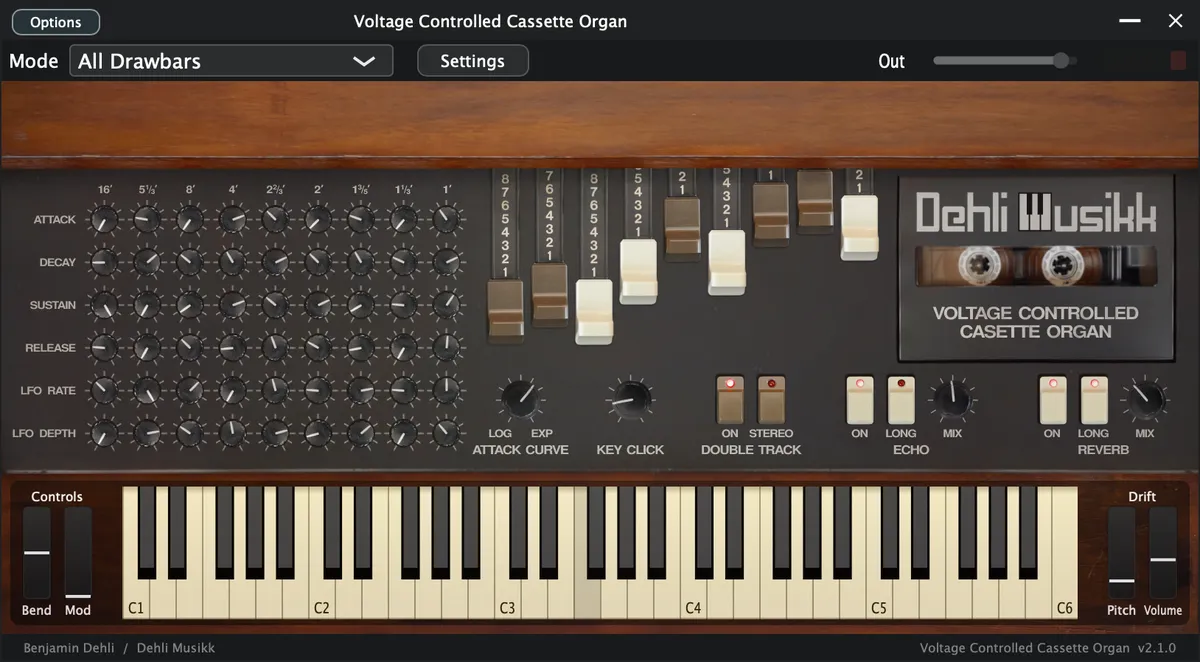
At a glance
- Plugin
- VST3, AU and Standalone for macOS
- Decent Sampler
- macOS, Windows and Linux
- Version
- 2.1.0 (2026-08-01)
- Price
- Pay what you want, from $9.99
- Sample rate
- 48 kHz
- Bit depth
- 24 bit
- Samples
- 1 220 files
- Sample content
- 3.46 GB
Video
A demonstration of the Voltage Controlled Cassette Organ library for Decent Sampler.
Included formats
- VST3 (macOS)
- AU (macOS)
- Standalone application (macOS)
- Decent Sampler (macOS, Windows and Linux)
The plugin version is currently released for macOS only. Windows and Linux versions are planned. Until then, the Decent Sampler version covers those platforms.
The plugin version
The plugin is a self-contained instrument, available as VST3, AU and Standalone. Samples, graphics and impulse responses are all embedded in the plugin itself, losslessly compressed, so there are no external files to install or locate. Only the samples for the selected preset are loaded into memory, and a fresh instance lets you choose which preset to load before anything is decoded.
The plugin has all the controls and features from the Decent Sampler version, including MIDI learn, the master volume fader with output meter, value readouts for the knobs and full DAW automation. On top of that, the plugin version adds:
- Drift wheels next to the pitch and modulation wheels, adding a subtle random pitch and volume drift to each voice.
- A velocity curve setting in the settings menu.
The Decent Sampler version
This version of Voltage Controlled Cassette Organ is an instrument preset / sample library for Decent Sampler. If you're new to Decent Sampler, I recommend checking out this guide first.
Technical specification
| Sample rate | Bit depth | Channels | Number of files | File size | |
|---|---|---|---|---|---|
| Samples | 48 kHz | 24 bit | 1 (mono) | 1220 | 3.46 GB |
| Impulse responses | 48 kHz | 24 bit | 2 (stereo) | 4 | 3.60 MB |
Instrument presets
To ensure optimal performance and flexibility, the instrument offers three presets: A quite resource-intensive "All Drawbars" preset with 9 drawbars, a lighter "All Drawbars (Lite)" preset, and a "Single Drawbar" preset which conserves resources by playing back fewer samples per key. The "Single Drawbar" preset does however have samples from different drawbars for an extended key range.
All Drawbars
The "All Drawbars" preset plays back 20 different samples per note, resulting in a rich and complex sound. However, it does demand significant system resources, especially when playing big chords.
All Drawbars (Lite)
A lighter variant of the "All Drawbars" preset. It has no "Double track" feature and shares samples between drawbars to reduce the sample count, which lowers the memory use.
Single Drawbar
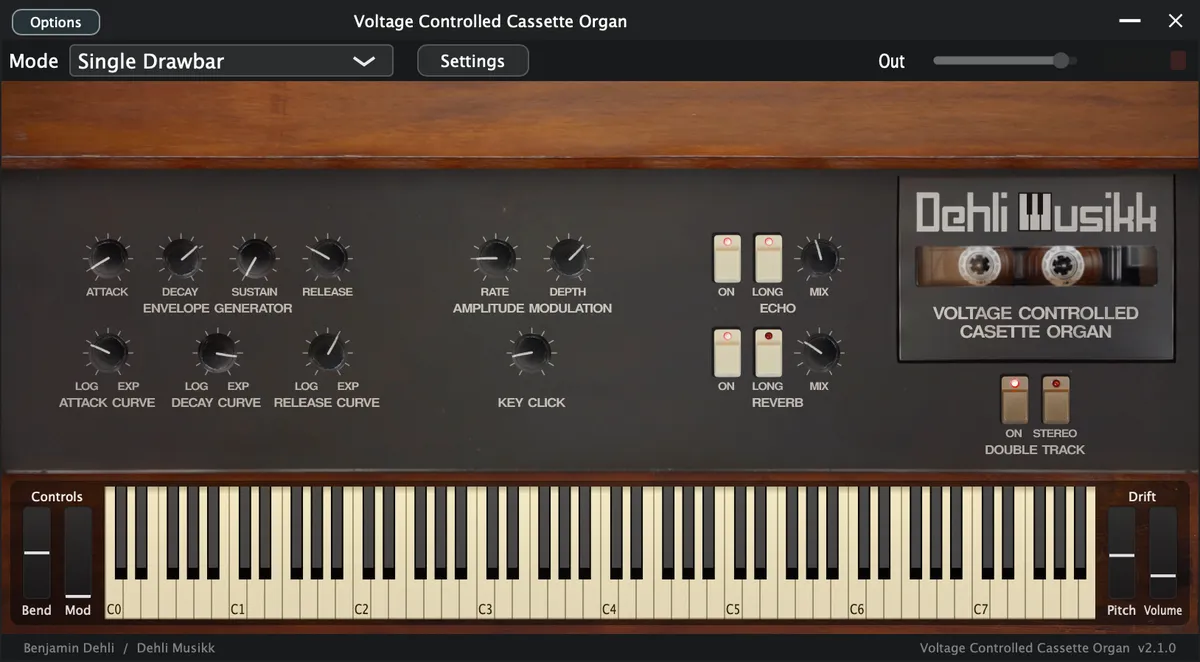
As a more resource-friendly alternative, the "Single Drawbar" preset plays back only four samples per key. This preset also incorporates additional knobs for adjusting the envelope decay curve and release curve, maximizing your creative control.
User Interface
Nine drawbars sit alongside key click volume, an envelope, amplitude modulation with LFOs, double track, and the echo and reverb effects.
ADSR Envelope
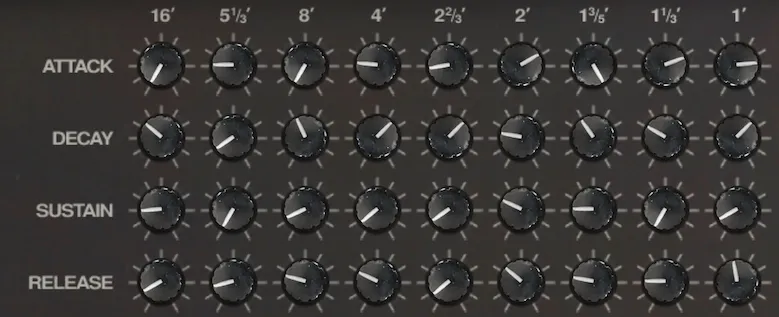
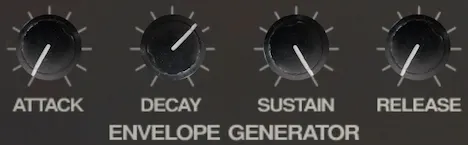
- Attack
- Individual attack time of the amplitude envelope for each drawbar
- Decay
- Individual decay time of the amplitude envelope for each drawbar
- Sustain
- Individual sustain level of the amplitude envelope for each drawbar
- Release
- Individual release time of the amplitude envelope for each drawbar
Envelope curves
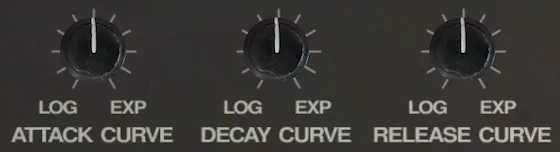
For even more control over the envelope, you can change the curve of the attack time. The "Single Drawbar" preset also incorporates two additional knobs for decay curve and release curve. The decay curve and release curve are exponential for the "All Drawbars" preset.
- Attack curve
- Adjusts the curve of the attack time from logarithmic to exponential with linear in the middle
- Decay curve
- Adjusts the curve of the decay time from logarithmic to exponential with linear in the middle
- Release curve
- Adjusts the curve of the release time from logarithmic to exponential with linear in the middle
LFO

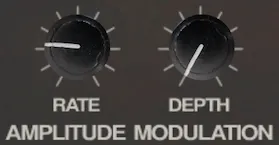
The LFO Rate and LFO Depth knobs enable you to modulate the amplitude of the drawbars with the desired depth and rate using the Low-Frequency Oscillator (LFO), opening up a world of rhythmic possibilities.
- LFO Rate
- LFO rate determines the speed at which the modulation occurs
- LFO Depth
- Adjust the LFO depth to introduce subtle or pronounced variations in volume
Drawbars
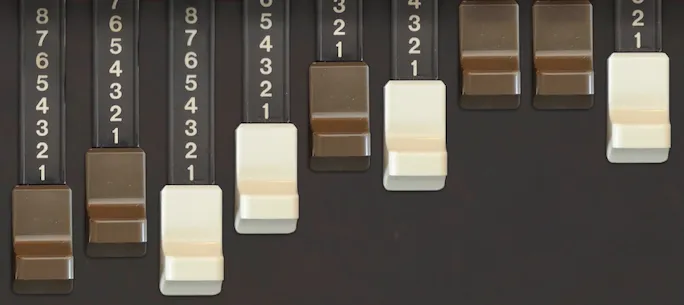
Each of the nine drawbars sets the level of one harmonic overtone, sampled from the Korg CX-3 through cassette tape.
Key click
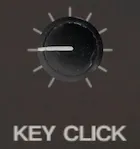
During the early production of Hammond organs, a seemingly unintentional and unwanted occurrence was observed: a distinctive click or pop sound that accompanied the pressing of a key. Initially, this peculiar phenomenon was perceived as a manufacturing flaw or an undesirable artifact of the instrument. Efforts were made to mitigate or eliminate the clicking sound, as it was not part of the intended design.
Musicians discovered that this inadvertent click, which was initially considered a fault, actually contributed a unique and appealing quality to the instrument's overall sound. Rather than viewing it as an unwanted artifact, musicians started to appreciate the click as a distinct characteristic that added depth and character to their performances.
The click's percussive nature, akin to the striking of a mallet on a percussion instrument, provided a lively and vibrant attack to the notes played on the organ.
Double track
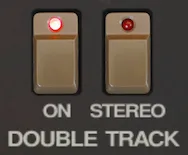
Each sample has been recorded twice and can be mixed together for a "chorus" effect or panned for a stereo effect.
Because of the nature of the tape deck mechanics and the tape itself, the sound will be a bit different for every time it's recorded and played back.
Controls
- On
- Turns on or off the double track samples
- Stereo
- Toggle between both tracks in center (mono) or one track panned left and one track panned right (stereo).
Effects
These effects are achieved using carefully crafted impulse responses. The echo effect employs a Fulltone Tube Tape Echo recorded twice for stereo, while the reverb effect draws from a Chase Bliss Audio & Meris CXM 1978 reverb pedal with a room setting.
Echo
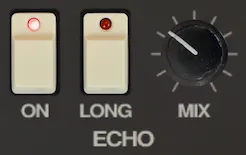
- On
- Turns the echo on and off
- Long
- Switches between a short slapback echo and a long echo with slow repeats and high feedback
- Mix
- Mix between direct signal and echo signal
Reverb
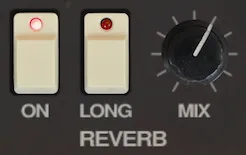
- On
- Turns the reverb on and off
- Long
- Switches between a short/small room reverb and a long/big room reverb
- Mix
- Mix between direct signal and reverb signal
Frequently asked questions
What is Voltage Controlled Cassette Organ?
Voltage Controlled Cassette Organ: a Korg CX-3 sampled through cassette tape, where wow, flutter and warble add organic movement to the drawbars.
Which formats does Voltage Controlled Cassette Organ come in?
Voltage Controlled Cassette Organ is available as VST3, AU and Standalone for macOS, and as a Decent Sampler library for macOS, Windows and Linux.
Does Voltage Controlled Cassette Organ run on Windows or Linux?
The plugin version is released for macOS only. On Windows and Linux, the Decent Sampler version of Voltage Controlled Cassette Organ covers the same instrument.
Does Voltage Controlled Cassette Organ work in Logic Pro and Ableton Live?
Yes. Voltage Controlled Cassette Organ is available as both VST3 and AU, so it loads in any macOS host that reads those formats, including Logic Pro, Ableton Live, Cubase, Reaper and Studio One.
Do I need Decent Sampler to use Voltage Controlled Cassette Organ?
Not for the plugin version. It is a self-contained instrument with its samples embedded, so there are no external files to install or locate. The Decent Sampler version is a sample library, and that one needs the free Decent Sampler application.
What sample rate and bit depth is Voltage Controlled Cassette Organ recorded at?
The samples are 48 kHz, 24 bit.
How many samples does Voltage Controlled Cassette Organ contain?
1220 sample files, 3.46 GB of audio. Impulse responses for the effects are not counted in that figure.
How much does Voltage Controlled Cassette Organ cost?
Voltage Controlled Cassette Organ is pay what you want, from $9.99, so the price shown is the minimum rather than a fixed one.
Where can I download Voltage Controlled Cassette Organ?
From the Dehli Musikk store at https://store.dehlimusikk.no/l/voltage-controlled-cassette-organ.
Is the source code for Voltage Controlled Cassette Organ available?
Yes. The repository is public at https://github.com/benjamindehli/VoltageControlledCassetteOrgan and licensed under GPL-3.0. The audio files are not in the repository, because the samples are a paid product.
Release notes
Version 2.1.02026-08-01
The changes in this release apply to the plugin version only. The DecentSampler version is unchanged.
- Added a translucent overlay graphic on top of the interface.
- Keys that are hovered or held on the keyboard are now shaded in a neutral way instead of turning yellow:
- White keys turn darker.
- Black keys turn brighter.
- The computer keyboard keeps playing notes even while you adjust a control with the mouse.
Version 2.0.02026-07-19
- Added a plugin version. See the section "The plugin version".
- Corrected the UI values for the drawbars, the envelopes, the LFO and the key click amount.
- Fixed the translationOutputMax value for the LFO depth.
- Fixed dead default attributes.
- Effect bindings now use effectIndex, and empty effects elements were removed.
Version 1.3.02025-01-04
- Removed amplitude envelope for one shot samples
Version 1.2.02023-07-05
- Added "All Drawbars (Lite)" preset
- No "Double track" feature
- Shares samples between drawbars to reduce sample count
- Set default decay curve and release curve for "Single Drawbar" preset to exponential
- Minor GUI adjustments
Version 1.1.02023-07-03
- Fix mouse drag direction for drawbars
Version 1.0.02023-06-26
- First version released
About this repository
This repository contains the source for both the Decent Sampler library (the DecentSampler folder) and the plugin version. The plugin is a thin wrapper around the shared Dehli Musikk sampler engine, and a converter translates the Decent Sampler library into the engine's native preset format at build time. The audio files are not part of this repository, since the samples are a paid product. The full version is available from store.dehlimusikk.no.