 microSAMPLER
 Getting started
What you need, how to install it on each platform, and the first-run steps to get the editor talking to your microSAMPLER.
Requirements
Hardware
- A Korg microSAMPLER.
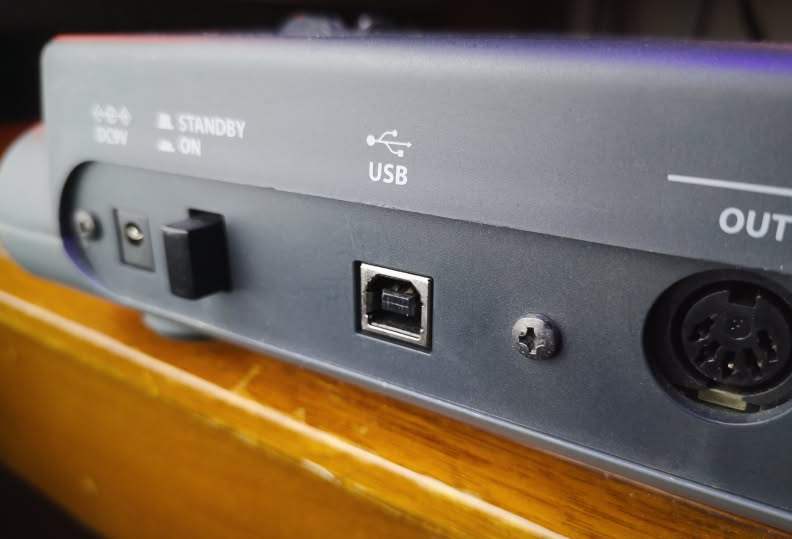
- A USB cable (USB-B, the standard "printer" type) to connect it to your computer.
Software
| Component | Notes |
|---|---|
| Operating system | macOS (tested), Linux (should work), Windows (untested) |
| Python 3.8+ | macOS: via the Xcode Command Line Tools (xcode-select --install) or python.org — the only thing you install |
pyusb (BSD) + libusb (LGPL) | Bundled with the app — no pip or Homebrew step (a system copy is used instead if you have one) |
| A modern browser | Chrome / Chromium recommended (Web MIDI needs Chrome, Edge or Firefox) |
The editor itself needs no installation and no build step — it's plain web files served by a small local helper (the "bridge").
Get the app
Grab it from GitHub — download the latest release ZIP, or clone the repository.
Unzip it, then open a terminal in the unzipped folder. Prefer git? Clone instead:
git clone https://github.com/benjamindehli/microsampler-editor-librarian.git
cd microsampler-editor-librarian
Install — macOS (the easy way)
Nothing to install — pyusb and libusb are bundled. Just use the launcher:
- Connect the microSAMPLER to your Mac with the USB cable and power it on.
- Open the
macOS/folder and double-clickmicroSAMPLER Editor Librarian.command. - Enter your password when asked — administrator rights are required to claim the USB connection from macOS.
- The editor opens in your browser automatically.
The launcher is unsigned (it's a free, open-source project), so the first time you open it macOS blocks it with "cannot be opened because it is from an unidentified developer". Approve it once:
- Right-click (or Control-click) the launcher → Open, then Open again in the dialog.
- On newer macOS, if there's no Open option: double-click it once (it gets blocked), then go to System Settings → Privacy & Security, find the message about the blocked launcher, and click Open Anyway.
Comfortable with Terminal? Clear the download quarantine on the whole unzipped folder instead, then double-click as normal — you only need to do this once:
xattr -dr com.apple.quarantine microsampler-editor-librarianInstall — Linux
pyusb and libusb are bundled (x86-64 and ARM64) — just use the launcher:
- Connect the microSAMPLER and power it on.
- Open the
Linux/folder and double-clickmicroSAMPLER Editor Librarian.sh. Some file managers open.shfiles in an editor — mark it executable / "Allow launching" first, or run./'Linux/microSAMPLER Editor Librarian.sh'from a terminal. - Enter your password when asked (root is needed to claim the USB device).
- The editor opens in your browser automatically.
Install — Windows (experimental)
Windows hasn't been verified, and libusb can't open the device until its USB driver is switched to WinUSB using Zadig.
- Install Python 3 (tick "Add to PATH"). pyusb and a 64-bit
libusbDLL are bundled — nothing else to install. - With the microSAMPLER connected, run Zadig and replace its driver with WinUSB (or libusbK).
- Open the
Windows/folder and double-clickmicroSAMPLER Editor Librarian.bat.
Any platform — manual & mock
Run the bridge directly, then open http://localhost:8765:
sudo python3 native-tools/bridge.pyThe operating system's MIDI driver owns the device's USB interface; the bridge needs elevated rights to take it over while it runs. It hands control back when it exits.
To explore the interface with no device connected, run the bridge in mock mode (no password needed):
python3 native-tools/bridge.py --mockFirst run
- With the device connected and the bridge running, open the editor in your browser.
- Check the CONNECTED light (top-right) is green.
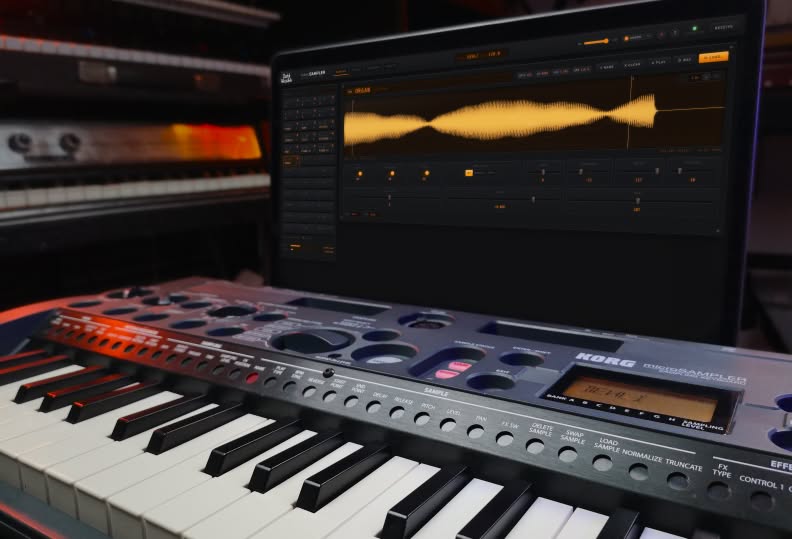
- Press RECEIVE (top-right) to read the current bank from the device — its 36 sample slots and settings appear.
- Click any pad to start editing.
Device setup
Two device settings matter:
- One USB owner at a time. The microSAMPLER moves samples and patterns over USB using non-standard transfers, so it can't share the connection with a DAW or other MIDI software. Close those (and Korg's original editor) while the bridge is running.
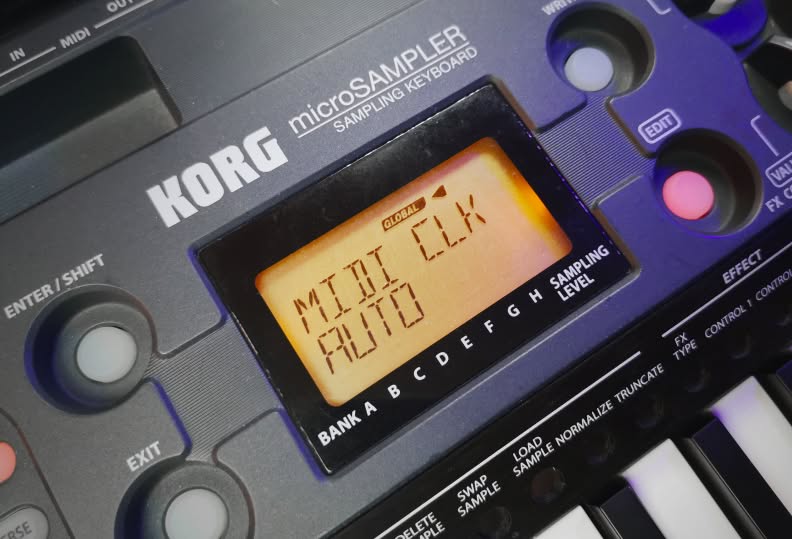
- MIDI CLK = AUTO for pattern playback. The device's sequencer is a clock slave, so the
editor streams MIDI clock to drive it. On the device, set
GLOBAL → MIDI CLK = AUTO(or EXT MIDI) — otherwise the transport buttons do nothing.
New to the hardware? The Concepts page explains banks, the two play modes, BPM-sync and the sequencer. Stuck? See Troubleshooting.